How to Use LinkedIn to Find a Job Faster in Canada (2026 Guide)
Written by ResumeNorth
Most job seekers treat LinkedIn as a place to store a profile and occasionally apply to postings. The people who find jobs faster use it very differently — as an active networking and visibility tool, not a passive listing.
Do Most Jobs Really Get Filled Through Networking, Not Job Postings?
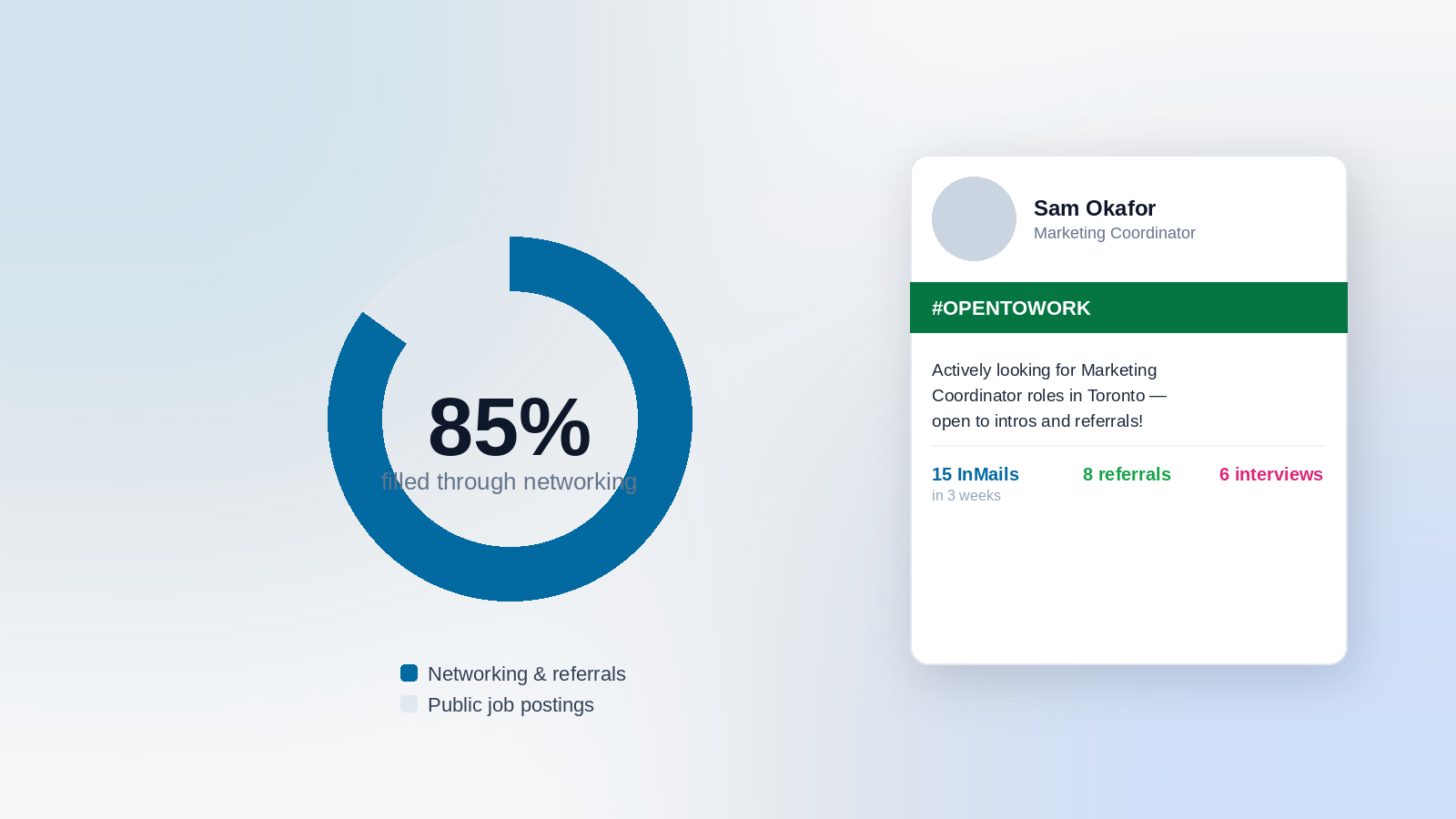
Yes, and the gap is large. Research consistently shows 85% of jobs are filled through networking and referrals, while only about 15% are filled through public job postings — a pattern often called the "hidden job market." This isn't a minor statistical curiosity; it's the single biggest reason a strong resume alone often isn't enough.
Referrals specifically outperform cold applications by a wide margin: referred candidates see roughly 50% higher interview rates and 40% higher hire rates, and reduce time-to-hire by about 29 days compared to standard applications. Separately, 89% of hiring managers say referrals are important when filling a role.
The practical implication: career development experts recommend splitting job search time roughly 60% networking and direct outreach, 40% targeted applications — the reverse of how most people actually spend their time.
How Should You Use the "Open to Work" Feature?
LinkedIn's Open to Work setting has two distinct modes, and most people only know about one:
- Public green banner — visible to your entire network and everyone who views your profile
- Recruiter-only mode — visible only within LinkedIn Recruiter (the paid tool recruiters use), with LinkedIn attempting to hide the signal from your current employer's account specifically
Recruiter-only mode alone is genuinely effective — LinkedIn reports profiles using it receive up to 40-52% more recruiter InMail messages. This is the safer default if you're currently employed and want to avoid signaling your search to your workplace, though LinkedIn can't fully guarantee your employer never sees it (third-party or subsidiary recruiter accounts aren't always blocked).
The public banner does something recruiter-only mode can't: it activates your actual network, not just recruiter search visibility. One documented before/after comparison: 4 months on recruiter-only mode produced 3 recruiter InMails and 1 interview; switching to the public banner and posting about the job search produced 15 InMails, 8 referrals, and 6 interviews — within 3 weeks.
A meaningful stigma shift worth knowing: the mass layoffs across tech, finance, and media in recent years have largely dissolved any remaining stigma around the public banner — it's now understood as a practical tool, not a signal of professional trouble.
Should You Post About Your Job Search?
Yes, if you're comfortable with the visibility — this is one of the more underused, high-impact tactics available. 85% of job seekers who actively post about their search report receiving support from their network as a direct result. When LinkedIn activates Open to Work, it prompts you to write a post about it — most people skip this step, and that's a missed opportunity, not a neutral choice.
A short, specific post (what role you're looking for, what kind of company, and a genuine ask for introductions or leads) tends to outperform a vague "open to opportunities" line, since it gives your network something concrete to act on.
Why Do "Weak Ties" Matter More Than Close Contacts?
A LinkedIn study of 20 million users found that moderately weak ties — not your closest contacts — produce the highest job change rates. The reasoning makes sense once you think about it: close contacts tend to share the same information and job opportunities you already have access to, while weaker ties (a former coworker, an old classmate, a loose industry connection) open genuinely new networks and information you wouldn't otherwise see.
The practical takeaway: don't limit your outreach to your closest professional relationships. Reconnecting with people you haven't talked to in a while is a legitimate, research-backed strategy, not just a networking cliché.
How Should You Approach Connection Requests?
Connection acceptance rates vary significantly by relationship type: alumni connections average 82% acceptance, current/former colleagues 89%, while cold outreach with no context averages only 23%. The overall average across all types sits around 67%.
The lesson: always personalize a connection request with specific, genuine context — mention the shared alumni network, the mutual connection, or the specific reason you're reaching out. A blank, generic connection request is the least effective version of this tactic by a wide margin.
What Else Should Be Optimized Before You Start Networking Actively?
A few structural things are worth fixing before you invest heavily in outreach, since they affect how you're found and how you're perceived once someone checks your profile:
- Complete LinkedIn's identity verification — verified profiles reportedly get about 60% more views
- Write your headline like a search result, not just a job title — this is the field most heavily weighted in LinkedIn's internal search
- Use relevant hashtags on your posts and comments (#JobSearch, #CareerAdvice, industry-specific tags) to increase discoverability beyond your immediate network
Key Takeaways
- 85% of jobs are filled through networking, not public postings — adjust your time split accordingly (roughly 60% networking, 40% applications)
- Recruiter-only Open to Work mode is a safer default if currently employed; the public banner unlocks your network's referral power, which recruiter-only mode can't replicate
- Posting about your search meaningfully increases the support and leads you receive
- Reach out to weak ties, not just close contacts — they open new networks your close contacts already share
- Always personalize connection requests with real context — cold, generic requests convert far worse
- Complete identity verification and write a specific, search-optimized headline before investing heavily in outreach
Frequently Asked Questions
Is it risky to use the public Open to Work banner if I'm currently employed?
It carries some risk, since your employer could see it if they view your profile. Recruiter-only mode is the safer default for currently employed job seekers, though it's less effective at activating your broader network than the public banner.
How much time should I actually spend networking each week?
A commonly recommended routine is around 85 minutes per week of consistent networking activity — reaching out, engaging with posts, following up — maintained consistently rather than done in occasional bursts.
Do I need a large network for this to work?
No — the research on weak ties suggests quality and diversity of connections matters more than raw follower count. A smaller network with genuine, well-targeted outreach can outperform a large but passive one.
Should I only network when I'm actively job searching?
No — networking is most effective as an ongoing practice, not a job-search-only tactic. Maintaining relationships while employed makes the process far easier when you do eventually need to search.
Related articles
How to Write a Resume for Retail and Customer Service Roles in Canada (2026 Guide)
How to write a retail or customer service resume that gets noticed — the right skills, how to prove them, and what's changed for 2026.
Read articleHow to Write a Resume for a Tech/Software Job in Canada (2026 Guide)
How to write a software engineer or tech resume that passes ATS and impresses technical recruiters — skills formatting, GitHub, AI tools, and bullet structure.
Read articleHow Long Should a Resume Be in 2026? (One Page vs. Two)
How long should a resume be in Canada? One page under 5 years, two pages after — plus word counts, font and margin limits, and the federal-government exception.
Read article
Sources
- The Interview Guys — LinkedIn Open to Work: The Complete 2026 Guide
- CareerEnlightenment.com — Networking Tactics That Actually Work for Job Seekers in 2026
- LinkedCraft — LinkedIn Networking Statistics: 25 Data Points for Job Seekers (2026), citing PayScale and OpenArc Research
- CareerEnlightenment.com — LinkedIn Job Search Strategy: 2026 Guide & Tips
- CS Recruiters — How to Network for Jobs: A 2026 Guide for Job Seekers, citing a LinkedIn study of 20 million users
- CareerBldr — LinkedIn Open to Work (2026): Settings, Privacy & When to Use It
- boterview — 7 Must-Know Networking Statistics for Job Seekers (2026), citing HR Dive and LinkedIn survey data